
Your free PDF reader,with room to breathe.
A lightweight alternative to Adobe Reader. No subscription, no bloat.
Free · Windows 10 or 11 · Version 1.1.1
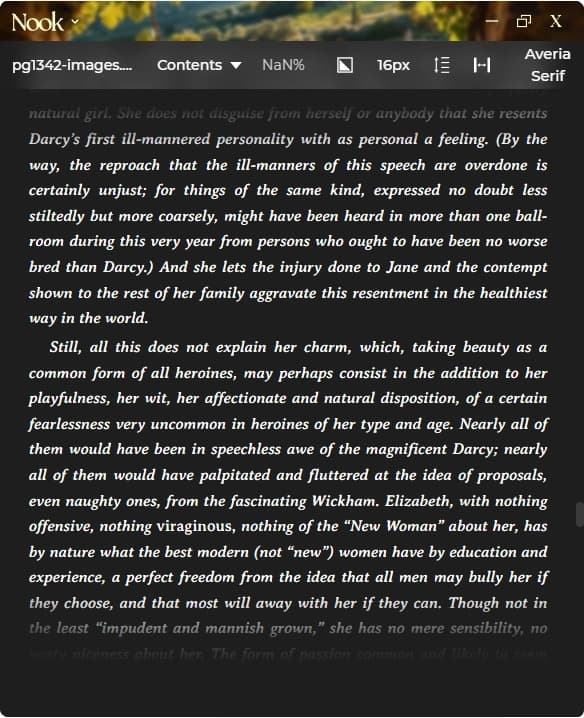
short answerNook is a free PDF reader for Windows and macOS. No subscription or account required. Zoom controls, continuous scroll or page modes, dark mode themes, in-document search. Under 10MB install. Works completely offline.
Nook vs Adobe Reader
Free. No subscription ever
No Adobe account required
Under 10MB install (Adobe is 500MB+)
Built-in dark mode
Works 100% offline
No upsells or upgrade prompts
Clean interface focused on reading
Also reads EPUB, Markdown, and text files
PDF Reading Features
Zoom Controls
Scale from 50% to 200%. Keyboard shortcuts (+/-).
Scroll Modes
Continuous scrolling or page-by-page.
Dark Mode
Multiple themes. Comfortable reading in any lighting.
Search
Find text within your PDF. Navigate between matches.
Keyboard Navigation
Arrow keys, Page Up/Down, Home/End.
Lightweight
Under 10MB. Fast startup, smooth scrolling.
Your next good readstarts here.
No account. No subscription. Just reading. Choose your installer and settle into your book.
Version 1.1.1
Questions,answered.
Free, fully offline, and ready to read. Here’s what else you might want to know.
Yes. No subscription required. No ads, no account needed.