
Markdown, made clear.Just open and read.
View README files, documentation, and notes with clean formatting.
Free · Windows 10 or 11 · Version 1.1.1
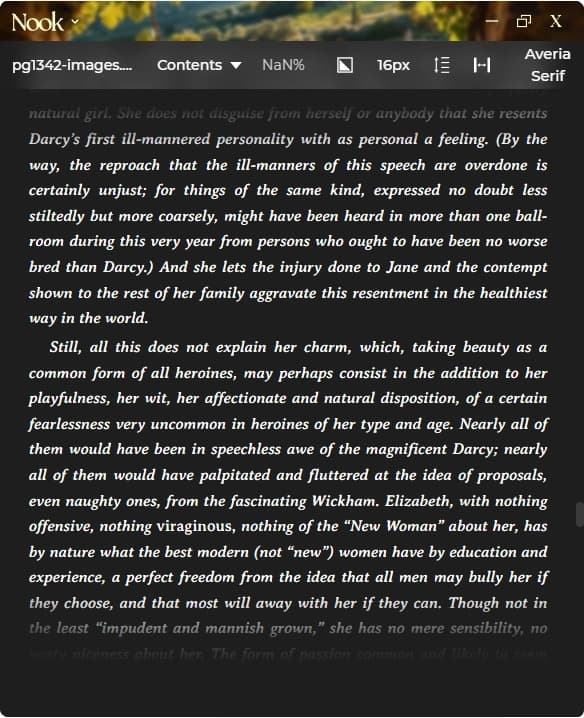
short answerNook is a free Markdown viewer for Windows and macOS that renders .md files with proper formatting. Headings, bold, italic, code blocks, links, and lists. Multiple themes including dark mode, customisable fonts and margins, keyboard navigation. No account required.
Features
Full Markdown syntax rendering
Code blocks with proper formatting
Multiple themes including dark mode
Customisable fonts and sizes
Adjustable margins and line spacing
Works offline
No account or signup required
Also reads EPUB, PDF, and text files
Markdown Rendering
Headings
H1 through H6 with proper hierarchy and sizing.
Text Formatting
Bold, italic, strikethrough, and inline code.
Code Blocks
Fenced code blocks with monospace font.
Lists
Ordered and unordered lists with nesting.
Links
Clickable links from Markdown syntax.
Blockquotes
Quote blocks with distinctive styling.
Your next good readstarts here.
No account. No subscription. Just reading. Choose your installer and settle into your book.
Version 1.1.1
Questions,answered.
Free, fully offline, and ready to read. Here’s what else you might want to know.
A Markdown viewer renders .md files with proper formatting. Headings, bold, italic, code blocks, links, and lists display as intended rather than raw syntax.